Technical SEO Made Simple: 5 Backend Tweaks That Boost Your Rankings
Let's be honest: technical SEO sounds about as fun as doing your taxes while stuck in traffic. But here's the thing: while everyone else is obsessing over keywords and crafting the perfect meta description, the real magic is happening behind the scenes.
Technical SEO is like the foundation of a house. You might not see it, but without it, everything else crumbles. And if you're a local business? Technical and local SEO work together like peanut butter and jelly to get you found by the people who actually want to give you their money.
The good news? You don't need to be a developer or a tech genius to make meaningful improvements.
The Five Most Important Aspects of Technical SEO
If you aren’t getting the visibility you want, it might not be your keywords or your content. It could be your technical SEO. Let’s take a look at five tweaks you can do to make your website’s visibility skyrocket.
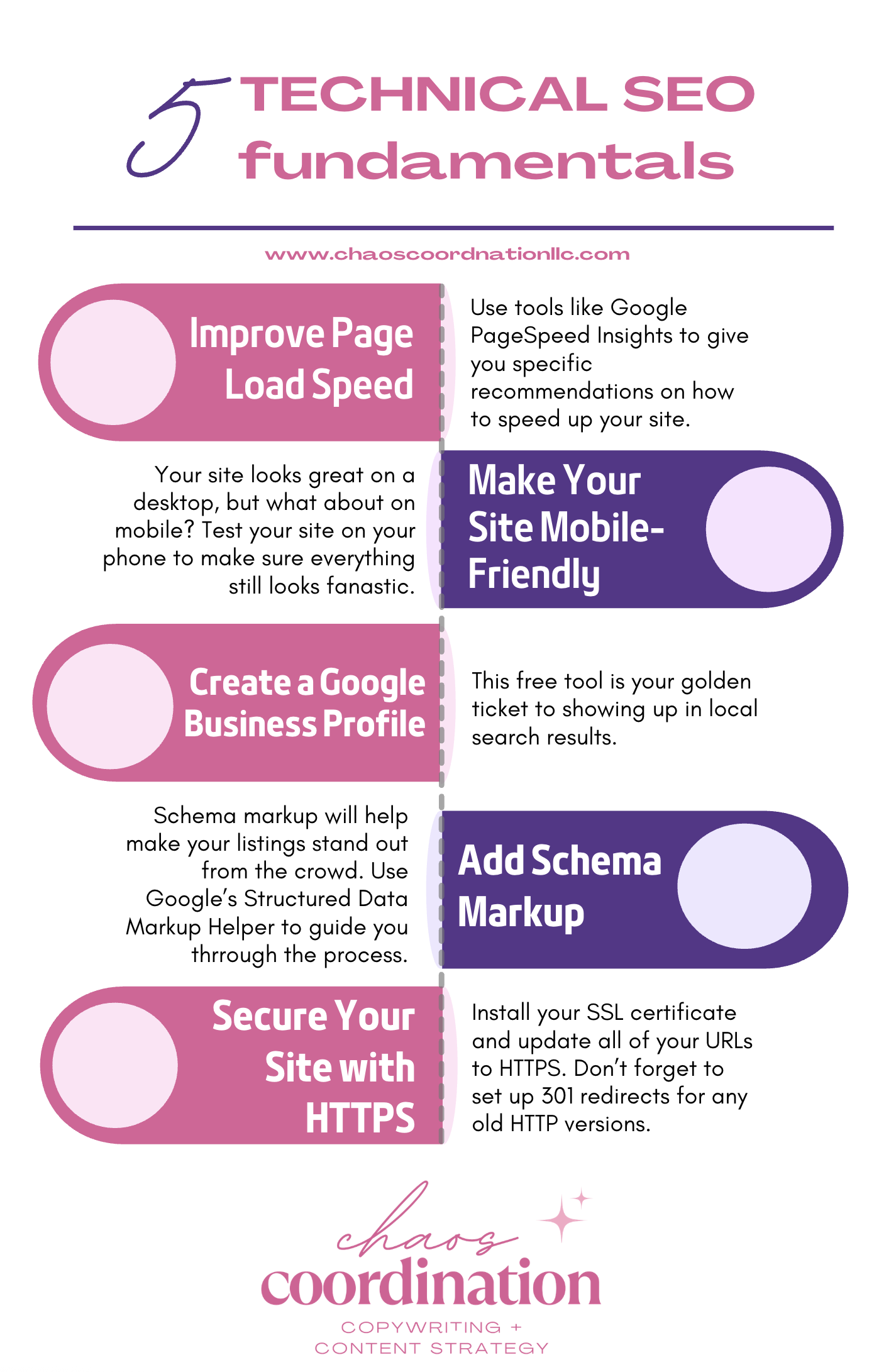
A list of 5 technical SEO fundamentals every website should have.
Improve Page Load Speed
Picture this: You click on a website and wait. And wait. And wait some more. By the time the page loads, you've already hit the back button and moved on to a competitor's site. That's exactly what's happening to your potential customers if your website is slow.
According to Google, 53% of mobile users abandon sites that take longer than three seconds to load. Three seconds! That's barely enough time to sneeze.
Page speed isn't just about user experience. It's a direct ranking factor. Google wants to serve up fast websites because happy users = happy Google. So how do you speed things up?
Simple Speed Testing Tools
Google PageSpeed Insights - Free and gives you specific recommendations
GTmetrix - Provides detailed performance reports
Pingdom - Shows how your site performs from different locations
Basic Tactics for Improving Load Times
Start by compressing your images. Those beautiful high-resolution photos? They're gorgeous but also massive file hogs. Use tools like TinyPNG or compress images before uploading them to your site.
Next, enable browser caching. This tells visitors' browsers to store certain elements of your site so they don't have to reload everything on repeat visits. Most website platforms have plugins or settings to enable this with just a few clicks.
Consider using a Content Delivery Network (CDN) like Cloudflare. CDNs store copies of your site on servers around the world, so content loads faster no matter where your visitors are located.
Finally, minimize your code. All those extra spaces, line breaks, and unnecessary characters in your HTML, CSS, and JavaScript? They add up. Many website builders have plugins that automatically minify your code.
The SEO Impact of Slow Websites
Beyond the direct ranking penalty, slow sites create a domino effect of SEO problems. High bounce rates signal to Google that users aren't finding what they need. Low dwell time suggests your content isn't engaging. All of this chips away at your search rankings.
Speed up your site, and you'll not only rank better. You'll convert more visitors into customers. Win-win.
Make Your Website Mobile-Friendly
Remember when browsing the internet on your phone meant squinting at tiny text and accidentally clicking the wrong links? Those days are (mostly) gone, but only for websites that have embraced mobile optimization.
Here's a stat that should wake you up: Over 60% of Google searches now happen on mobile devices. If your website looks terrible on a phone, you're essentially telling more than half your potential audience to shop elsewhere.
Mobile-First Indexing Explained Simply
Google now predominantly uses the mobile version of your website for indexing and ranking. This means if your mobile site is clunky, slow, or missing important content, your rankings will suffer – even for people searching on desktop.
Think of it this way: Google's crawlers are now looking at your site through a smartphone screen first. If they don't like what they see, you're in trouble.
How to Test Mobile-Friendliness
The easiest way is Google's Chrome Lighthouse tool. Just pop in your URL and Google will tell you if your site passes muster.
You can also simply pull up your website on your phone. Can you easily read the text without zooming? Are buttons big enough to tap without hitting three things at once? Does everything load quickly? If you answered "no" to any of these, you've got work to do.
Common Mobile Optimization Issues
Tiny text that requires zooming - Your font size should be at least 16px for body text
Buttons too close together - Give people room to tap without frustration
Content wider than the screen - Everything should fit without horizontal scrolling
Slow-loading images - Compress those files!
Intrusive pop-ups - Google especially hates these on mobile
Most modern website platforms (WordPress, Squarespace, Wix, Shopify) offer responsive themes that automatically adjust to different screen sizes. If you're still rocking a website from 2010, it might be time for an upgrade.
Create a Google Business Profile
If you're a business and you don't have a Google Business Profile, you're basically invisible. This free tool is your golden ticket to showing up in local search results and on Google Maps when people search for businesses like yours.
Think about how you search for local services. "Coffee shop near me," "best plumber in [city]," "dog groomer open now." Where do you look? At those handy business listings that appear with photos, reviews, hours, and a map. That's the Google Business Profile in action.
Step-by-Step Setup Process
Go to google.com/business and click "Manage now"
Enter your business name (exactly as it appears in real life)
Choose your business category (be specific!)
Add your location or service area
Provide your phone number and website
Verify your business (usually via postcard sent to your address)
Once verified, fill out every single section. And I mean every single one.
Optimization Tips for Local Search
Add high-quality photos - Businesses with photos receive more requests for directions and more clicks to their websites
Choose the right categories - Be as specific as possible (e.g., "Italian Restaurant" not just "Restaurant")
Write a compelling business description - Include relevant keywords naturally
Keep your hours updated - Especially during holidays
Respond to every review - Yes, even the bad ones
Post regular updates - Share photos, offers, events, and news
Use Google Posts - These appear in your Business Profile and can boost engagement
How It Impacts SEO
Your Google Business Profile is a major factor in local pack rankings (those top three businesses that show up with the map). The more complete and active your profile, the better your chances of appearing there.
Plus, having consistent business information (name, address, phone number) across your website and Google Business Profile signals trustworthiness to Google. Inconsistencies can hurt your local SEO, so make sure everything matches exactly.
Use Schema Markup for Rich Results
Okay, stay with me here. Schema markup sounds incredibly technical, but I promise it's not as scary as it seems. And the payoff? Those eye-catching search results with star ratings, recipe details, event information, or FAQ sections that make your listing stand out from the crowd.
Simple Explanation of Schema Markup
Schema markup is code you add to your website that helps search engines understand your content better. It's like giving Google a detailed roadmap of what's on your page so it can display that information in more useful ways.
You know those search results that show star ratings under a product review? Or recipe cards with cooking times and calorie counts? That's schema markup at work.
Basic Types Relevant to Small Businesses
Local Business Schema - Displays your address, hours, and contact info
Product Schema - Shows prices, availability, and reviews
Review Schema - Highlights star ratings and review counts
FAQ Schema - Displays questions and answers directly in search results
Event Schema - Shows event details, dates, and ticket information
Recipe Schema - Perfect for food bloggers and restaurants
Tools to Implement Without Coding Knowledge
The good news? You don't need to learn to code to use schema markup.
Google's Structured Data Markup Helper - Free tool that walks you through the process
Schema.org - The official resource for schema types
Yoast SEO Plugin (for WordPress) - Automatically adds basic schema
Rank Math Plugin (for WordPress) - Offers advanced schema options
JSON-LD Schema Generator - Creates code you can copy and paste
For WordPress users, plugins like Yoast or Rank Math make this ridiculously easy. Just fill in the fields, and the plugin handles the code for you.
The result? Your search listings become more attractive and informative, which can significantly boost your click-through rates.
Secure Your Website with HTTPS
See that little padlock icon in your browser's address bar? That means the website is secure. Don't see it? Run. Run far, far away, because that site is about as trustworthy as an email from a Nigerian prince.
HTTPS (Hypertext Transfer Protocol Secure) encrypts the data between your website and your visitors' browsers. This protects sensitive information like passwords, credit card numbers, and personal details from being intercepted by hackers.
Why HTTPS Matters for SEO
Google has been crystal clear about this: HTTPS is a ranking signal. Since 2014, they've been giving preference to secure sites. In 2018, Google Chrome started labeling HTTP sites as "Not Secure," which can scare away visitors faster than you can say "data breach."
Beyond rankings, HTTPS builds trust. Would you enter your credit card information on a site labeled "Not Secure"? Neither would your customers. No trust = no conversions = no business.
How to Check If Your Site Is Secure
The simplest way? Look at your URL. Does it start with "https://" or just "http://"? If it's the latter, you've got work to do.
You can also use online tools like SSL Checker to verify your SSL certificate is properly installed and up to date.
Simple Steps to Implement HTTPS
Get an SSL Certificate - Most hosting providers offer free SSL certificates through Let's Encrypt. If yours doesn't, it might be time to switch hosts.
Install the Certificate - Your hosting provider should handle this for you. If you're on a platform like Shopify or Squarespace, HTTPS is usually enabled automatically.
Update Your URLs - Make sure all internal links point to the HTTPS version of your pages.
Set Up 301 Redirects - This ensures anyone who visits the old HTTP version gets automatically sent to the secure HTTPS version.
Update Google Search Console - Add the HTTPS version of your site as a new property.
Most modern hosting providers make this process painless. Some even include free SSL certificates with your hosting plan. If you're feeling overwhelmed, reach out to your hosting support team. They deal with this all the time and can usually set it up for you.
Key Takeaways
Speed matters - Compress images, enable caching, and use speed testing tools to identify and fix slow load times.
Mobile-first is the law - Ensure your site looks and works beautifully on smartphones, because that's where most searches happen.
Claim your Google Business Profile - Local businesses need this to appear in local search results and on Google Maps.
Schema markup makes you stand out - Use it to get rich results that grab attention in search listings.
HTTPS is non-negotiable - Secure your site to protect users and boost your SEO rankings.
Ready to tackle your technical SEO but want some guidance? Download my Ultimate SEO Checklist with 20 actionable strategies that don't require a computer science degree. It's designed for real humans running real businesses – no tech jargon, just practical steps you can implement today.
Need personalized help getting your technical SEO in shape? Schedule an SEO Audit with me, and let's get your website working as hard as you do!